
Get SMS Code: Receive Online
APPSTER LTDCommunication
4.528.00 Reviews
- Version
- 1.0
- Installs
- 10.00K
- Age Rating
- Everyone
Screenshots
Our Review of Get SMS Code: Receive Online
 Analysis by Appyee
When I need a temporary phone number to receive a verification message, I want the process to be quick and easy to understand. Get SMS Code: Receive Online is built around that single job: it provides virtual numbers for activating accounts and receiving SMS codes. I found the idea useful for short, practical tasks, although it also comes with an important limitation: a number that works for one verification may not be suitable for every service or for long-term account recovery.
This is a free communication app from APPSTER LTD, with optional purchases ranging from a small amount to a considerably higher per-item amount. It is aimed at anyone who needs an online number rather than using their personal SIM, and its Everyone age rating makes the basic concept accessible to a broad audience. The current release is version 1.0, so I approached it as a focused tool rather than a mature, feature-heavy communications platform.
What the app is really useful for
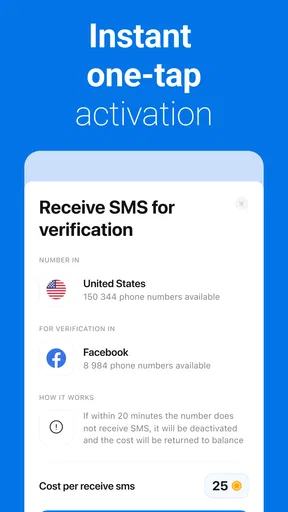
The clearest use case is separating a one-off verification from your everyday phone identity. For example, imagine signing up for a service you expect to test briefly, joining an online community, or creating a secondary account for a project. Instead of giving that service your main number, you can use a virtual number and watch for the incoming code inside the app.
That separation can be convenient, but I would not treat it as a universal privacy shield. The service you are joining may still collect other identifying information, and a temporary number is not automatically anonymous. More importantly, if an account later asks for the same number during password recovery, access may depend on whether that number is still available. I would use this app for limited, low-consequence registrations rather than for banking, work accounts, important social profiles, or anything I might need to recover years from now.
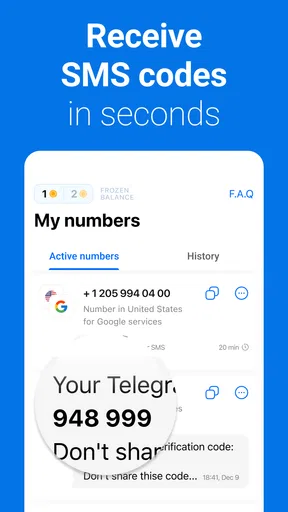
The store summary focuses on online SMS verification, and that narrow focus is actually one of the app’s strengths. There is less conceptual clutter than in a normal messaging application. You are not opening it to have conversations with friends; you are opening it to obtain a code, copy it, and finish another registration. That makes the value easy to judge: if you regularly face verification screens and do not want to use your personal number, the app has a clear purpose.
How fast the workflow feels
The speed of this kind of app depends on more than the interface. The app must present an available number, the outside service must accept that number, and the verification message must be routed back successfully. I therefore would not judge it solely by how quickly its screens open. A fast-looking number selector is not helpful if the destination rejects the number or the message never arrives.
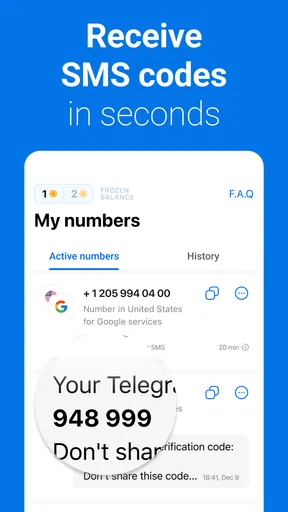
In practical use, the best workflow is to prepare the registration page first, keep the verification screen ready, then select a number and request the code without unnecessary switching. Once the message arrives, copy the code immediately and complete the registration while the session is active. This reduces confusion when several browser tabs or sign-up attempts are open at once.
A useful habit is to record which number you used for which service, at least temporarily. That is not an advanced feature; it is a simple bit of organization that prevents a common mistake. If you later repeat the process and choose a different number, you may not know which identity belongs to the earlier account. For disposable testing, this may not matter. For anything you plan to revisit, it matters a lot.
There is also a trade-off between speed and persistence. A number selected for immediate verification may be convenient now but unsuitable as a permanent contact. If a service sends a second code several minutes later, or asks for verification again after you sign out, the original number may no longer be the practical choice. I would finish the account setup in one sitting whenever possible rather than assuming the number will remain available indefinitely.
What happens during heavier use
The app is not designed to replace a full messaging inbox, so “heavy use” here means repeated verification attempts, several registrations, or switching between multiple services in a short period. That is where the simple concept becomes more demanding. You may need to track several numbers, distinguish successful requests from failed ones, and avoid entering a code into the wrong account.
For a single registration, the process should be easy to understand. During a batch of sign-ups, the human side becomes the main source of friction. I recommend completing one account before starting another, keeping the destination service visible, and closing abandoned registration attempts. This is especially important when two websites are waiting for codes at the same time.
Repeated requests can also create uncertainty. If a code does not arrive, requesting another immediately may leave you with multiple messages and no clear idea which one is current. A calmer approach is to wait briefly, check the selected number and destination, then request another code only when the service allows it. The app can help receive messages, but it cannot guarantee that an outside platform will send, accept, or prioritize them correctly.
Resource demands are likely to be modest for the basic task because the app’s purpose is narrow rather than media-heavy. Still, I would avoid leaving it open unnecessarily while running many other apps, particularly on an older phone. The more important performance concern is not graphics or storage; it is whether the app remains responsive while you move between it, a browser, and the service being verified.
For people who need dozens of verifications as part of routine work, this may feel too manual. The app is better suited to occasional or moderate personal use than to a large operational workflow. A dedicated business solution with documented number ownership, account continuity, and administrative controls would be a better fit when verification is central to a team’s daily process.
Reliability depends on the whole chain
I would separate app reliability into three questions: can I open and use the app, can I obtain a usable number, and does the outside service deliver a code to it? Only the first part is fully within the app’s control. A failure at the second or third stage may look like an app problem even when the destination blocks virtual numbers or does not support that type of verification.
This distinction is important before judging the service too harshly. If a code fails to arrive, check the number shown, confirm that the destination accepted it, and make sure the request was actually submitted. If everything looks correct, try a fresh number rather than repeatedly refreshing the same attempt. That simple recovery path is more sensible than assuming every number will work with every platform.
My main concern is account continuity. A traditional mobile number is usually tied to your SIM or carrier account, while an online number is chosen for a particular purpose. That makes it convenient for separation, but weaker for recovery. I would never use one of these numbers as the only way to protect an important account. Add a stronger recovery method whenever the service offers one, and keep the number’s role limited to the original verification task.
The app’s average rating is 4.5 from around a thousand ratings, and it has more than ten thousand installs. Those figures suggest that the focused concept has attracted real interest, but they do not remove the need to test a number with your specific destination. Verification systems change, and acceptance can vary by service, region, or account type. I see the rating as encouraging rather than as a promise that every request will succeed.
There are around a few dozen written reviews, which gives prospective users some feedback to consider, but I would still treat the app as a tool to evaluate with a low-risk task first. Do not begin with an account you cannot afford to lose. Start with a registration where failure is inconvenient rather than damaging, learn how the number and code flow work, and only then decide whether it fits your routine.
Device and system considerations
The app supports Android devices running version 6.0 or later. That gives it a broad compatibility range, including phones that are no longer close to the newest generation. Compatibility alone does not guarantee an identical experience on every device, though. Older hardware may switch apps more aggressively, reload pages, or make it harder to keep a browser registration and the verification screen available together.
If your phone has limited memory, the practical solution is to keep the workflow short. Open the service you are registering with, move to the app to obtain the number, return to the registration page, and check the message. Avoid opening several unrelated apps in between. This is not because the task is graphically demanding; it is because losing the verification context creates avoidable mistakes.
A stable internet connection is also more important than raw phone power. The number request, message retrieval, and account registration all depend on network communication. If you are using unreliable mobile data, a delay can be hard to diagnose because the app and the destination may each appear to be waiting. When a verification is important, I would use the most dependable connection available and avoid starting the process while moving between networks.
The Everyone rating describes the app’s broad age classification, not a recommendation to use temporary numbers without judgment. Younger users may need guidance about privacy, account rules, and the difference between a disposable verification number and a permanent phone number. The app can simplify access to a code, but it does not explain every consequence of using that code for an account that may later require recovery.
Because the current version is 1.0, I would keep expectations realistic about polish and future changes. A first release can be perfectly usable for its central task while still leaving room for smoother recovery, clearer status information, or better handling of multiple attempts. I would pay attention to how the app behaves on my particular device rather than assuming that a positive experience on one phone will translate exactly to another.
Where it beats ordinary alternatives
The usual alternative is using your personal mobile number. That is simpler when you need a reliable, long-term identity, and it is usually the better choice for accounts that matter. The advantage of this app is separation: you can avoid exposing your everyday number for a limited registration and keep casual sign-ups away from your main communications channel.
Another alternative is a second physical SIM or an additional carrier line. That route may offer stronger continuity, but it costs more effort and may require another device, plan, or activation process. Get SMS Code: Receive Online is more convenient when the requirement is occasional and temporary. The trade-off is that you have less control over long-term ownership and may encounter services that refuse virtual numbers.
Compared with a full messaging app, this tool is much narrower. It is not where I would manage personal conversations, maintain a contact list, or preserve an everyday message history. That narrowness is helpful when I want one action completed quickly, but it also means users looking for a complete communications hub should choose something else.
The optional purchase model deserves attention before repeated use. The app is free to install and try, while individual in-app items range from $0.49 to $19.99. For an occasional verification, that may be reasonable depending on the item needed. For frequent registrations, costs can add up, so I would decide in advance how much a temporary number is worth for the specific task and avoid purchasing repeatedly just because the first attempt failed.
Who should use it, and who should skip it
I would recommend it to someone who needs a separate number for a short-lived registration, wants to keep a personal number private from casual services, or is testing an account without committing a main phone line. It can also help people who understand that verification is a one-time bridge rather than a permanent account credential.
I would skip it for banking, employment, healthcare, primary email, password managers, or any account where losing access would have serious consequences. I would also look elsewhere if I needed guaranteed long-term number ownership, dependable recovery, or a documented business process for many users. In those situations, a personal carrier number or a dedicated secondary line is the safer option.
My practical recommendation is to treat each virtual number as task-specific. Before starting, ask yourself whether you may need the number again. If the answer is yes, choose a more permanent alternative. If the answer is no, use the app carefully, complete the registration promptly, and save the account’s other recovery details immediately.
My performance verdict
Get SMS Code: Receive Online makes sense because it does not try to be more than a focused SMS verification tool. Its perceived speed should be good for a straightforward request, and its resource needs appear appropriate for a simple communication utility, but the real experience depends heavily on the destination service and network connection. That is the central expectation I would set before installing it.
I like the separation it offers between temporary registrations and my personal number. I also appreciate that the workflow is easy to understand: obtain a virtual number, wait for the message, and enter the code. The weaknesses are just as clear: repeated attempts require organization, virtual numbers may not be accepted everywhere, and long-term recovery is a poor match for this type of service.
With a 4.5 average and a growing install base, the app is worth considering for low-risk, occasional verification needs. Its free entry point makes testing straightforward, while the paid items mean frequent use should be approached with a budget in mind. My final view is positive but cautious: use it as a disposable verification aid, not as the foundation of an important digital identity. That distinction is what determines whether the app feels like a smart convenience or an unnecessary risk.
Verdict
Strengths of Get SMS Code: Receive Online
- Quickly receive verification codes without using your personal number.
- Useful for testing accounts and services that require SMS confirmation.
- Simple interface makes numbers easy to select and messages easy to read.
- Supports temporary use, helping keep your main phone number private.
- Can be convenient when traveling or lacking access to your usual SIM card.
Limitations of Get SMS Code: Receive Online
- Many services may block public numbers or reject them for verification.
- Received messages can be visible to other users sharing the same number.
- Temporary numbers may stop working or disappear without warning.
- Not suitable for banking, recovery accounts, or other sensitive verification.
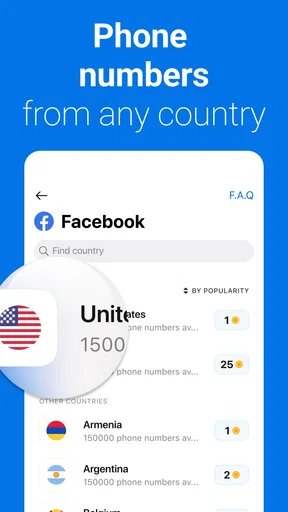
- Availability of numbers and supported countries may vary considerably.
Similar Picks in This Category
View All
Google Messages
Google LLC4.6

Gmail
Google LLC4.1

Google Meet
Google LLC4.4

Google Chrome
Google LLC4.1

WhatsApp Messenger
WhatsApp LLC4.6

Carrier Services
Google LLC4.2
Frequently Asked Questions
What is Get SMS Code: Receive Online used for?
Get SMS Code: Receive Online is designed to provide access to online phone numbers that can receive SMS messages, typically for account verification and one-time passwords. Before downloading, users should understand that the service may support only selected websites and countries. Availability can change frequently, and receiving a code does not guarantee that every platform will accept the number for registration or login.
Is Get SMS Code: Receive Online free to use?
The app may offer free numbers or limited access, but many verification requests can require credits, payment, or an in-app purchase. Pricing and availability may vary depending on the destination country, service, and demand. It is important to review the current purchase details, renewal terms, and refund policy in the app store before spending money on SMS codes.
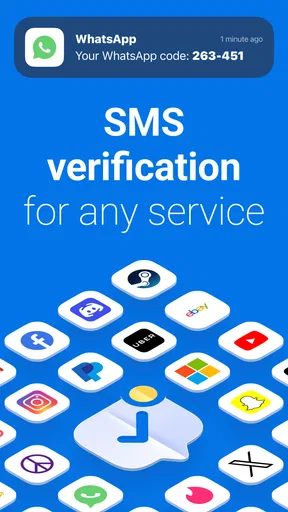
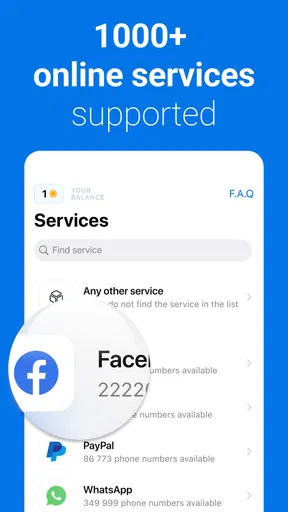
Can I use these numbers for WhatsApp, Telegram, or other accounts?
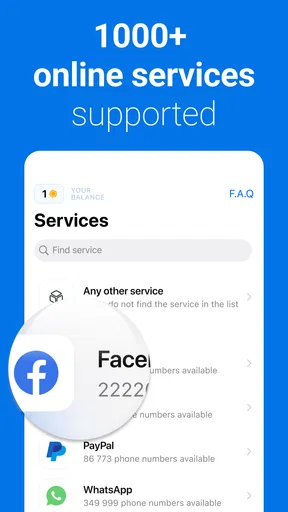
The service may work with some popular websites and messaging platforms, but compatibility is not guaranteed. Certain companies block public, temporary, or virtual numbers to reduce spam and fraud. A number that works today may be rejected later, and some services may require additional verification. Avoid relying on a temporary number for accounts you need to recover permanently.
Are SMS codes and received messages private and secure?
Users should be cautious because online or shared numbers may not provide the same privacy as a personal SIM card. Depending on how the number is supplied, messages could potentially be visible to the service provider or other users with access to that number. Never use this type of service for banking, sensitive identity verification, private conversations, or confidential accounts.
What should I do if the verification code does not arrive?
If a code is delayed or missing, first confirm that the selected country, number, and target service are correct. Some platforms take several minutes to send messages, while others may block the number entirely. You can try requesting a new code only when permitted, selecting another available number, or contacting the app’s support team. Repeated attempts may temporarily restrict verification.
